
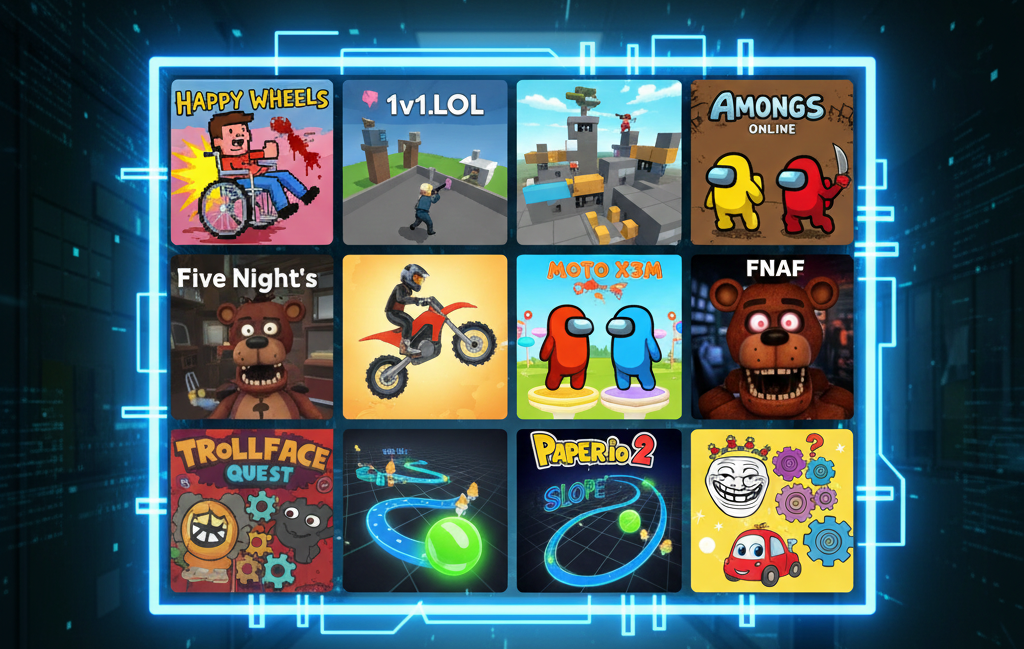
If you grew up in the golden age of browser gaming, the name Silvergames probably brings back memories of sneaking into the computer lab during lunch to play Happy Wheels. But Silvergames isn’t just a relic of the past; in 2026, it remains a massive hub for free, browser-based gaming, hosting everything from retro Flash classics to modern .io multiplayer hits.
For gaming enthusiasts, I often get asked: “What are the best sites for unblocked games that actually work?” Silvergames is always high on my list. However, with great popularity comes great restriction—most schools and workplaces have it blacklisted.
In this guide, I’ll walk you through the Top 10 Games to Play on Silvergames, share my personal tips for winning, and explain exactly how to access them safely using a VPN when the network admin tries to shut you down.
About Silvergames
Silvergames.com is a Berlin-based gaming platform that has been around since 2003. Unlike some newer “unblocked” sites that just scrape content, Silvergames curates a massive library of HTML5 and WebGL games. It’s famous for its user-friendly interface, lack of required downloads, and a mix of genre-defining titles.
One reason I recommend Silvergames is its “no-install” policy. You aren’t downloading sketchy .exe files; everything runs in the browser, which keeps your device cleaner and safer.

Top 10 Games to Play on Silvergames
I’ve tested dozens of titles to bring you this definitive list. Whether you want to test your reflexes, scare yourself silly, or solve puzzles, there’s something here for you.
1. Happy Wheels
Genre: Physics / Gore / Racing The Lowdown: The absolute king of Silvergames. You choose a character (like the Wheelchair Guy or Irresponsible Dad) and try to reach the finish line. The catch? The physics are brutal.
Why Play: It’s hilarious, violent, and incredibly challenging.
Don’t just hold the forward arrow. Balance is key. Tap the arrow keys gently to avoid flipping your vehicle and losing your limbs.
2. 1v1.LOL
Genre: Third-Person Shooter / Battle Royale The Lowdown: A lightweight alternative to Fortnite. 1v1.LOL combines shooting with building mechanics. You build walls and ramps to protect yourself while trying to snipe your opponent.
- Game Type: Competitive Multiplayer.
- Guide to Win: Map your building keys (walls/ramps) to easy-to-reach buttons on your keyboard. Speed building is more important than aiming in this game.
If you like shooters, check out our guide on Blockpost Unblocked.
3. Among Us Online
Genre: Social Deduction The Lowdown: Silvergames hosts a web-optimized version of the hit game where you must find the “Impostor” on a spaceship before they eliminate the crew.
- Feature: No Steam account required. Jump straight into a lobby.
- Strategy: As an Impostor, use the vents immediately after a kill. As a Crewmate, stick to groups of three—it’s harder to get killed without a witness.
4. Five Nights at Freddy’s (FNAF)
Genre: Survival Horror The Lowdown: The game that launched a thousand jump scares. You are a night security guard who must survive until 6 AM while animatronic robots try to enter your office.
- Why it’s scary: The resource management. You have limited power for your lights and doors.
- Winning Tip: Only check the cameras when absolutely necessary. Listening for footsteps is often more effective than watching the screen.
5. Moto X3M
Genre: Bike Racing The Lowdown: A fast-paced motorcycle trial game where you navigate loops, saws, and explosions. It relies heavily on physics and timing.
- Feature: Incredible level design that feels like a stunt movie.
- Guide: Perform flips in the air to shave seconds off your time. The more flips, the higher your score.
6. Fireboy and Watergirl (Series)
Genre: Co-op Puzzle The Lowdown: Perfect for playing with a friend on the same keyboard. One player controls Fireboy (arrows), the other controls Watergirl (WASD). You must work together to clear obstacles.
- The Catch: Fireboy cannot touch water, and Watergirl cannot touch lava.
- Pro Tip: Communication is everything. Don’t rush; wait for your partner to flip the switch before moving.
7. Slope
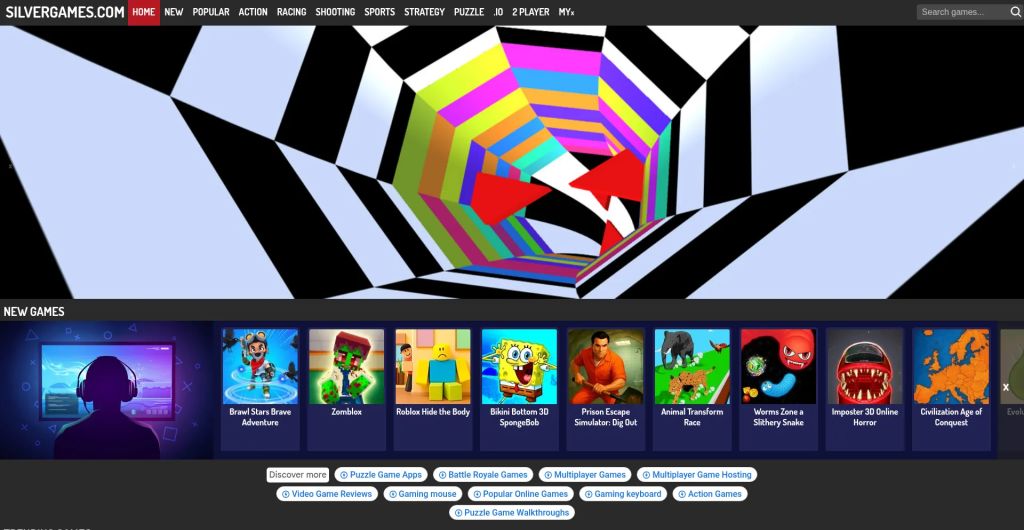
Genre: Endless Runner The Lowdown: You control a ball rolling down a neon city slope. The speed increases constantly, and the track is randomized.
- Why Play: It induces a “flow state” similar to Tunnel Rush.
- Strategy: Keep your eye on the middle of the screen to anticipate turns early.
Read More: For similar games, check out our list of Top 20 Games on Unblocked Games 77.
8. Paper.io 2
Genre: Territory Strategy (.io) The Lowdown: You are a small square trying to conquer territory by drawing loops. If someone crosses your tail while you are drawing, you die.
- Game Type: Massively Multiplayer (MMO).
- Winning Tip: Don’t get greedy. Make small loops to secure territory safely rather than trying to capture half the map in one go.
9. Trollface Quest
Genre: Point-and-Click Puzzle The Lowdown: A game designed to troll you. The solutions are never logical—they are absurd, funny, and require thinking outside the box.
- Why Play: For the humor. It’s a great stress reliever.
- Guide: Click everything. If the logical solution is to open the door, the actual solution is probably to click the sun.
10. Wheely
Genre: Puzzle Adventure The Lowdown: You play as a cute red car named Wheely who has to navigate various obstacles to find his true love.
- Feature: Family-friendly and brain-teasing without being frustrating.
- Verdict: A great game for relaxing after a stressful exam.
Use a VPN to Play on Silvergames
You might be wondering, “Do I need a VPN for browser games?” As a student or employee, there are two massive reasons: Access and Privacy.
1. Bypassing School and Work Blocks
Network administrators use firewalls to block domains categorized as “Gaming.” When you try to load Silvergames at school, you likely get a “Restricted” message. A VPN (Virtual Private Network) encrypts your internet traffic.
It creates a secure “tunnel” between your device and a VPN server. The school’s firewall can’t see that you are visiting a gaming site; it only sees encrypted data.
You get instant access to Silvergames, Toon Cup, and other favorites.
2. Protecting Your Privacy
Public Wi-Fi (like at schools or cafes) is notoriously insecure. Since free gaming sites often rely on ads, they can track your behavior.
- Security: A high-quality VPN hides your IP address, preventing advertisers and network snoopers from building a profile on you.
Don’t rely on free VPNs. They are often slow and sell your data. Check out our comprehensive review of the Best VPNs for 2026 to find a fast, affordable option that won’t lag your game.
Frequently Asked Questions (FAQs)
Q: Is Silvergames safe for kids? A: Generally, yes. The site is reputable. However, games like Happy Wheels contain cartoon violence. Always check the game’s rating or content before playing.
Q: Do I need to create an account to play? A: No! One of the best features of Silvergames is that you can play as a “Guest” immediately. No signup required.
Q: Why is the game running slow? A: Browser games rely on your computer’s RAM. If you have 50 Chrome tabs open, the game will lag. Close unnecessary tabs. If you are using a VPN, switch to a server closer to your location (e.g., if you are in Texas, pick a Dallas server).
Q: Can I play Silvergames on my phone? A: Yes, many of their games are HTML5 optimized, meaning they work perfectly on mobile browsers (Chrome/Safari) without needing an app.
Conclusion
Silvergames remains a titan in the world of online browser gaming. Whether you are building fortresses in 1v1.LOL or raging at the physics in Happy Wheels, it offers endless entertainment for free.
Just remember: if you are playing on a restricted network, a reliable VPN is your golden ticket to unblocked gameplay. Play smart, stay secure, and enjoy the games!